
Now on the App Store and Google Play
Terminz Terminalfor iPad and Android tablets.
The tablet already sitting on your counter becomes your front desk. You book the next appointment right there, the whole team's calendar is in front of you, and everyone signs in with their own PIN.


The app costs nothing extra. You need a Terminz account, any plan will do.
- iPadiPadOS 15.1 or later
- Android tabletAndroid 8.0 or later
A day at the counter
Five screens in the order you need them. Captured in the app as it is in the store.
01Before the first appointment
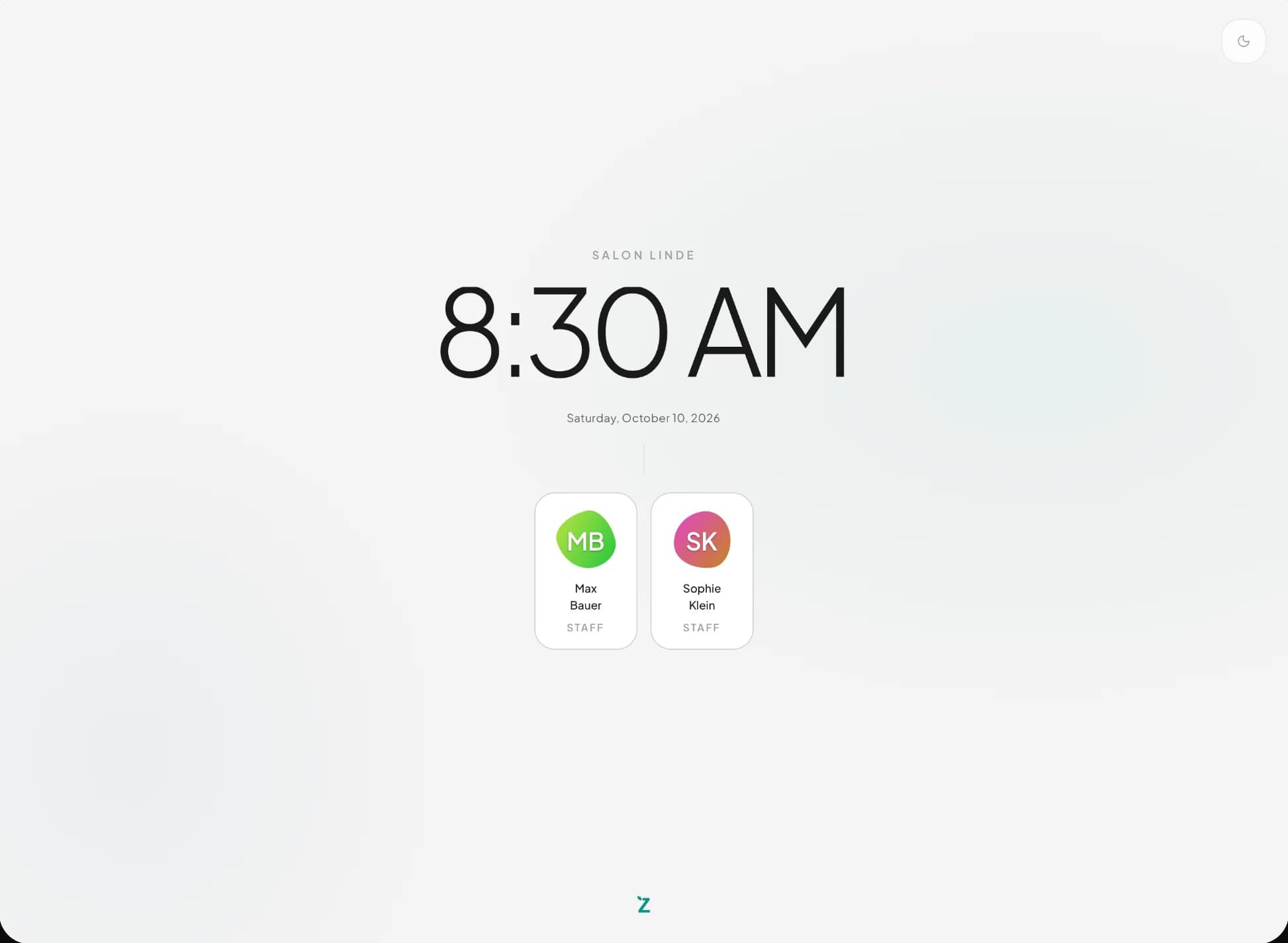
Everyone with their own PIN
The tablet shows the time and your team. Whoever is up taps their name and enters their PIN. After a pause the tablet locks itself again.
02All day long
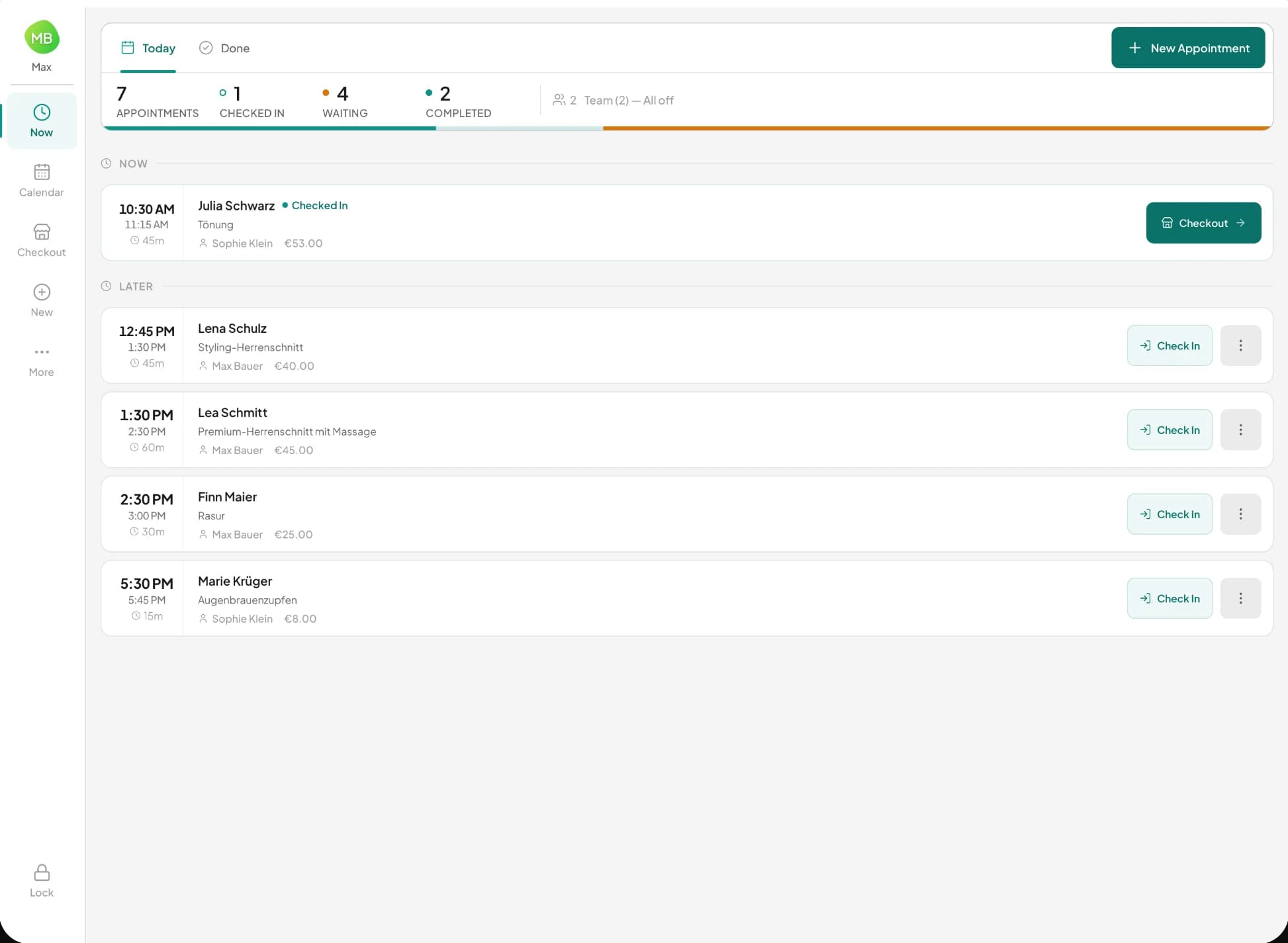
Today at a glance
Who is here right now, who comes next and who is still waiting. One tap checks someone in, and the numbers at the top keep count.
03When someone calls or walks in
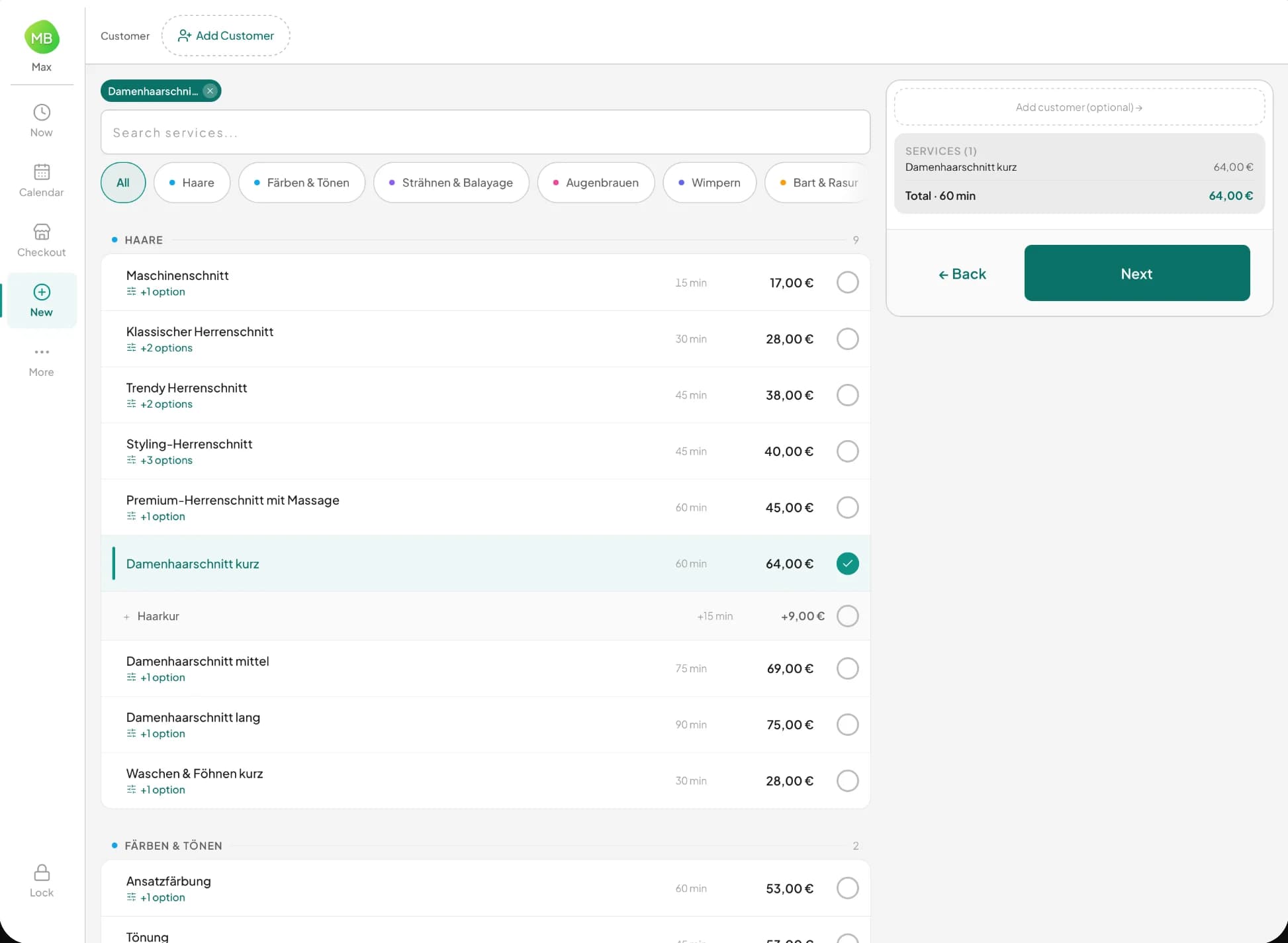
A new appointment in seconds
Pick the service, pick the time, done. New customers are added at the counter with their consent, and a walk-in is just a name on the booking.
04In between
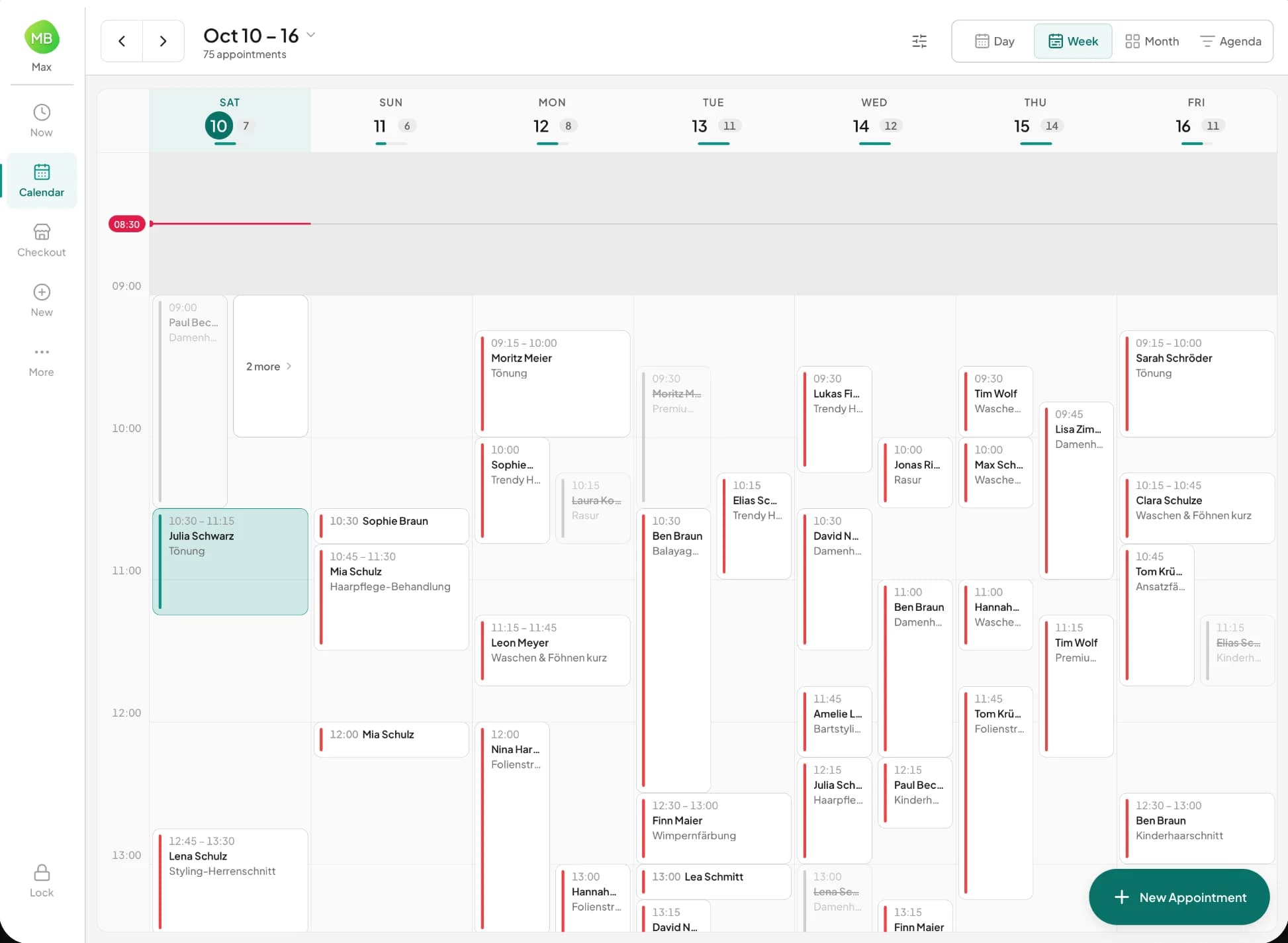
The whole team, the whole week
Day, week, month or agenda. Move an appointment with your finger, and free time is marked right in the calendar.
05When the appointment is over
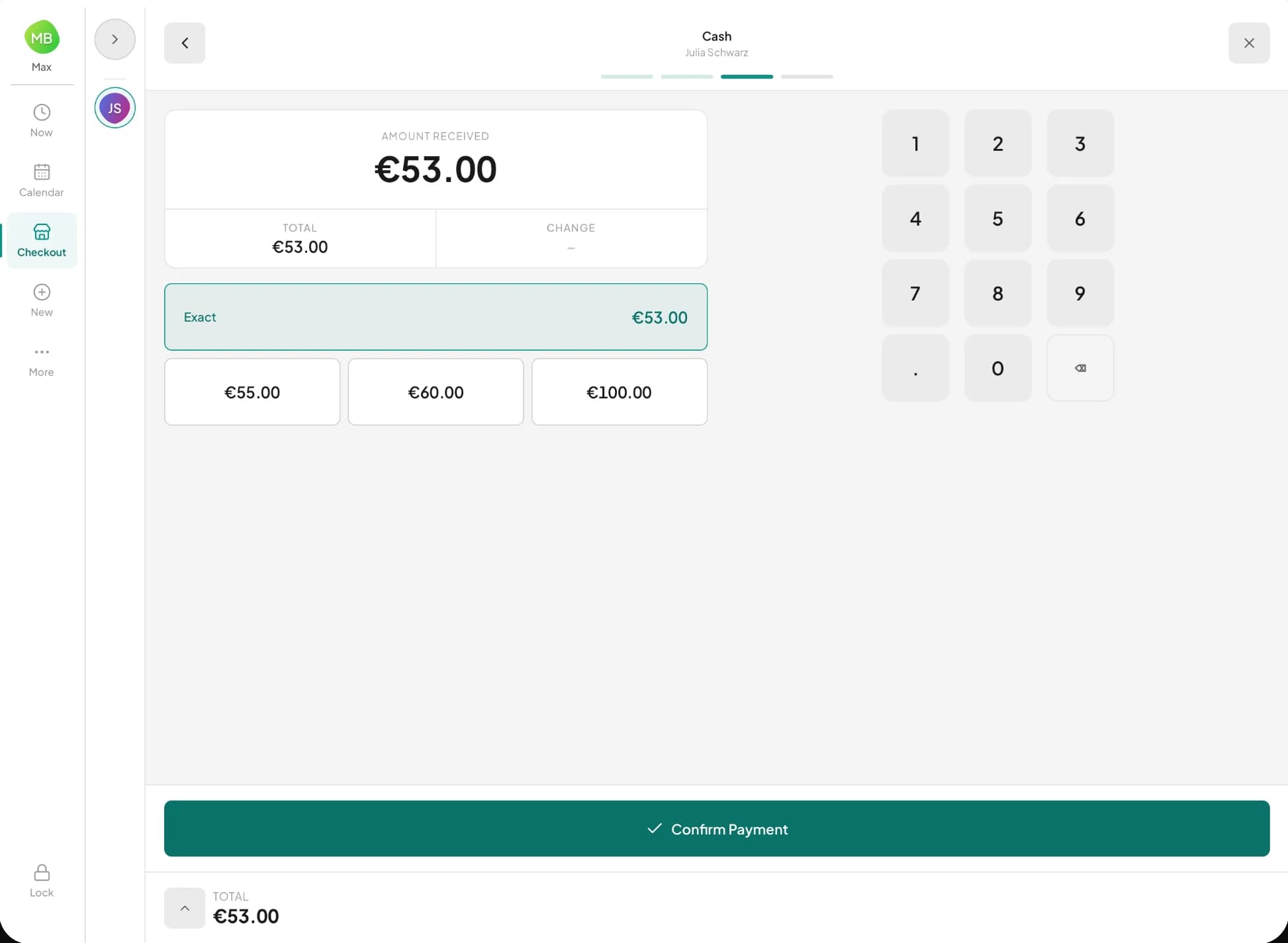
Checkout at the counter
The amount is shown large and the app works out the change. Every receipt is signed by the TSE, and your customer takes the receipt home on their own phone by QR code.
Komplett Kasse
At the counter in three steps
01
Get the app
From the App Store onto the iPad, or from Google Play onto the Android tablet.
02
Pair the tablet
Under Devices & hardware in the dashboard you create a three-word code. The tablet scans it as a QR code, or you type it in. It is valid for ten minutes and one device.
03
Sign in with a PIN
Everyone on your team has their own PIN. Nobody types a password at the counter.
What you need
- iPad
- With iPadOS 15.1 or later.
- Android tablet
- With Android 8.0 or later.
- Terminz account
- Any plan. With Komplett the terminal books and plans, with Komplett Kasse it takes payments too.
- Internet
- Wi-Fi or mobile data. Without a connection the till takes no money, because every receipt needs a TSE signature.
- Card reader
- Only if you want to take cards. For cash the tablet is all you need.
Common questions
What does the app cost?
Nothing extra. The download is free and the terminal comes with every plan. All you need is a Terminz account.
Is there a terminal for iPhone too?
No. The app is built for the tablet at the counter. On the go you open Terminz in the browser, and the dashboard works on any phone.
Does the tablet show the same as the dashboard?
Yes. An appointment you book on the tablet shows up in the dashboard calendar straight away, and the time is no longer free on your booking page. The same works the other way round.
Which languages does the app speak?
Eight. Everyone sets their own, and the tablet switches with each sign-in.
What happens when the internet is down?
The terminal says so clearly, and the till takes no money until the connection is back. Every receipt needs a TSE signature, and that only works online.
Not on Terminz yet?
Try Komplett free for 30 days. The terminal is included from day one.
Apple, the Apple logo and iPad are trademarks of Apple Inc., registered in the U.S. and other countries. App Store is a service mark of Apple Inc. Google Play, the Google Play logo and Android are trademarks of Google LLC.