
Your website shows what is in Terminz.
Already have a website you want to keep? Paste one script tag into it. Services, opening hours, map, contact and reviews appear there in the look of your page and change as soon as you change them in Terminz. Included in every plan.
Sound familiar?
- Prices and hours live in two places
- You update the price list in the system and forget the website. Customers read old prices and arrive at the counter expecting something else.
- Every change needs someone with time
- A freelancer, the agency or your nephew: a new opening hour takes days. Until then the wrong time stays online.
- An off-the-shelf plugin does not fit your page
- Booking plugins bring their own colors, their own font and a white box. On your page that looks like a foreign body.
What the widget does
One script tag, no plugin
You copy a code snippet from the dashboard and paste it where the widget should appear. It works in WordPress, Webflow, Jimdo and hand-built sites.
Four widgets to choose from
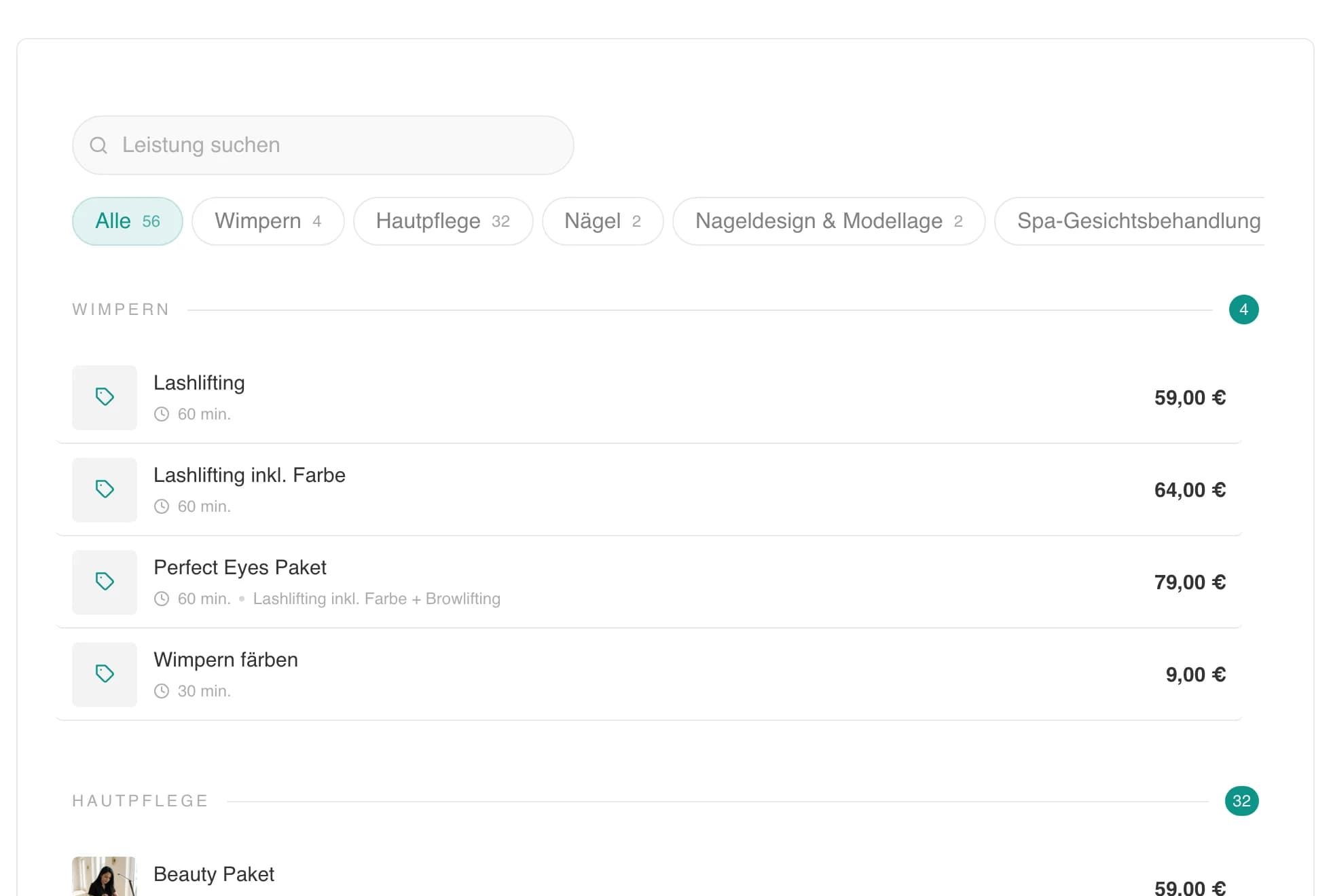
Services, location with opening hours, map and contact, stars and reviews from Google, or everything together. You embed only what belongs on your page.
The colors and font of your page
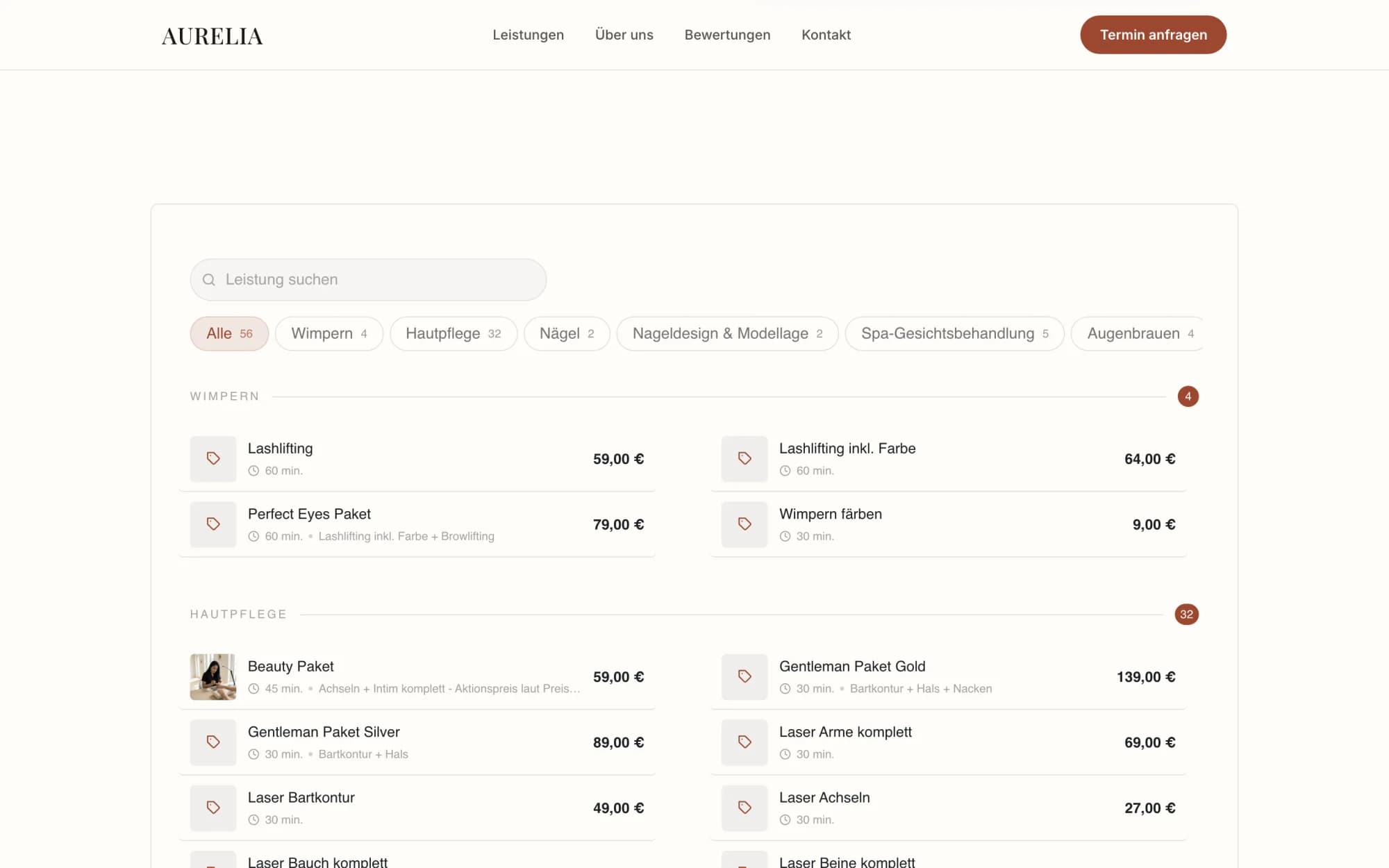
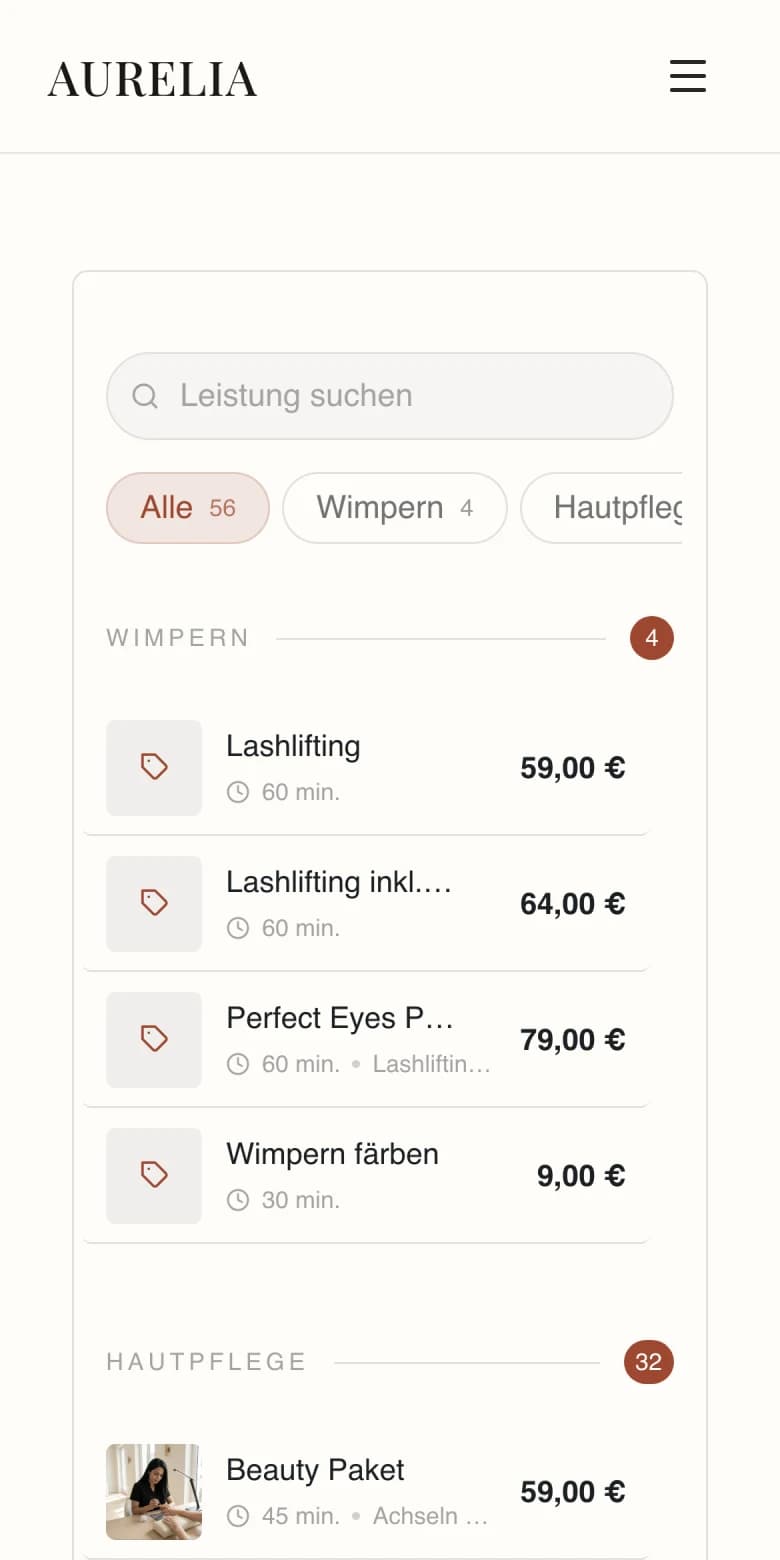
The widget reads background, text color and font from your website and paints no surface of its own over it. It looks like part of the page, not like a box.
The price list the way it suits you
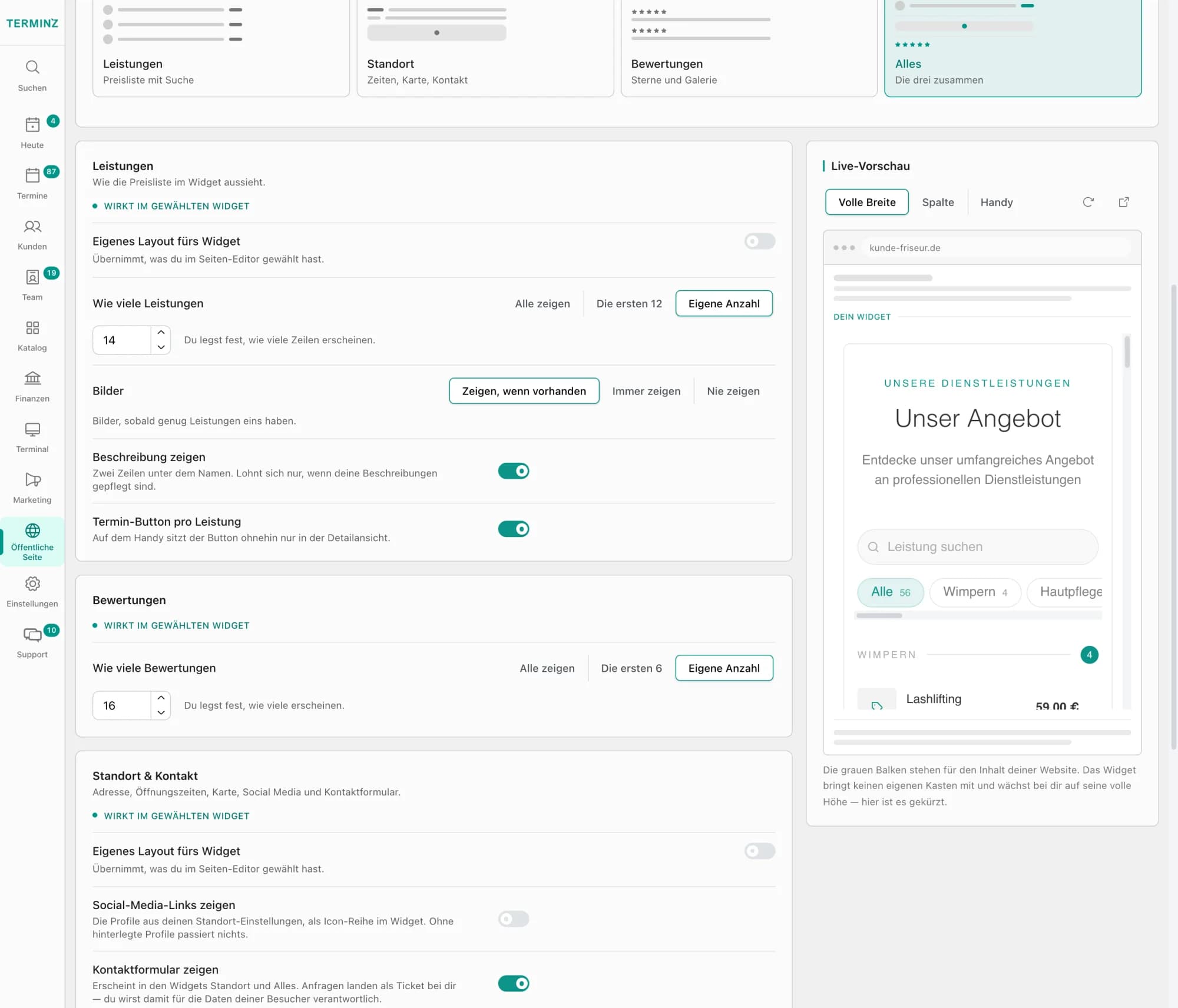
Rows, cards or a compact price list, with or without photos, descriptions and a book button. From 12 services on, search and categories appear. You decide how many entries show first.
Booking in a new tab
The book button opens your booking page in a new tab, and only while you are taking appointments. The widget itself needs no login and sets no cookies.
Only your websites may show it
You enter the domains the widget may run on. Everywhere else it stays empty. In the dashboard you see which site actually loads it.
What it looks like
Frequently asked questions
Do I need programming skills?
No. In the dashboard, in your public page settings, you pick a widget, check the preview and copy the finished snippet. You can paste it into any website builder that allows an HTML element or custom code.
Does it cost extra?
No. The website widget is included in every Terminz plan at no extra charge.
Can customers book right inside the widget?
They see services, prices and times and tap Book. The booking itself runs on your Terminz booking page and opens in a new tab. Visitors stay on your website and the widget needs no login.
What happens when I change a service or opening hour?
The widget loads its data from Terminz. A changed price list or opening hour shows the next time your page loads, you do not touch the code.
Can someone else embed the widget on their site?
No. The widget only shows on the domains you approved. On every other site the browser refuses to display it. Wildcards like *.wordpress.com are not allowed, otherwise every site on the same host could load it.
Keep your website. The data comes from Terminz.
In the demo we show you how the widget looks on your page.